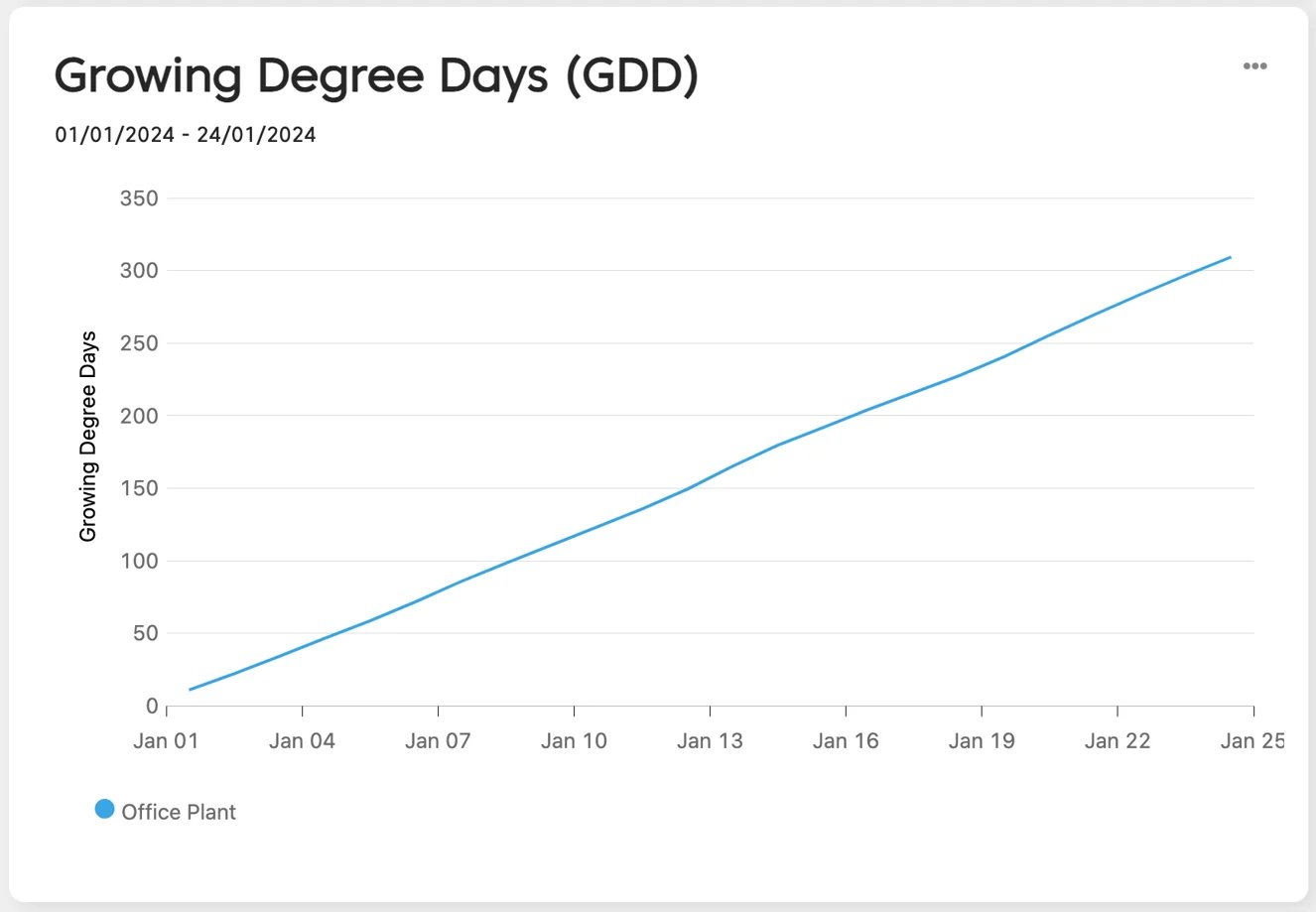
- Go to Data Studio.
- Open the dashboard you want to use, or create a new one.
- Scroll to the bottom of the page and click Add graph or widget.

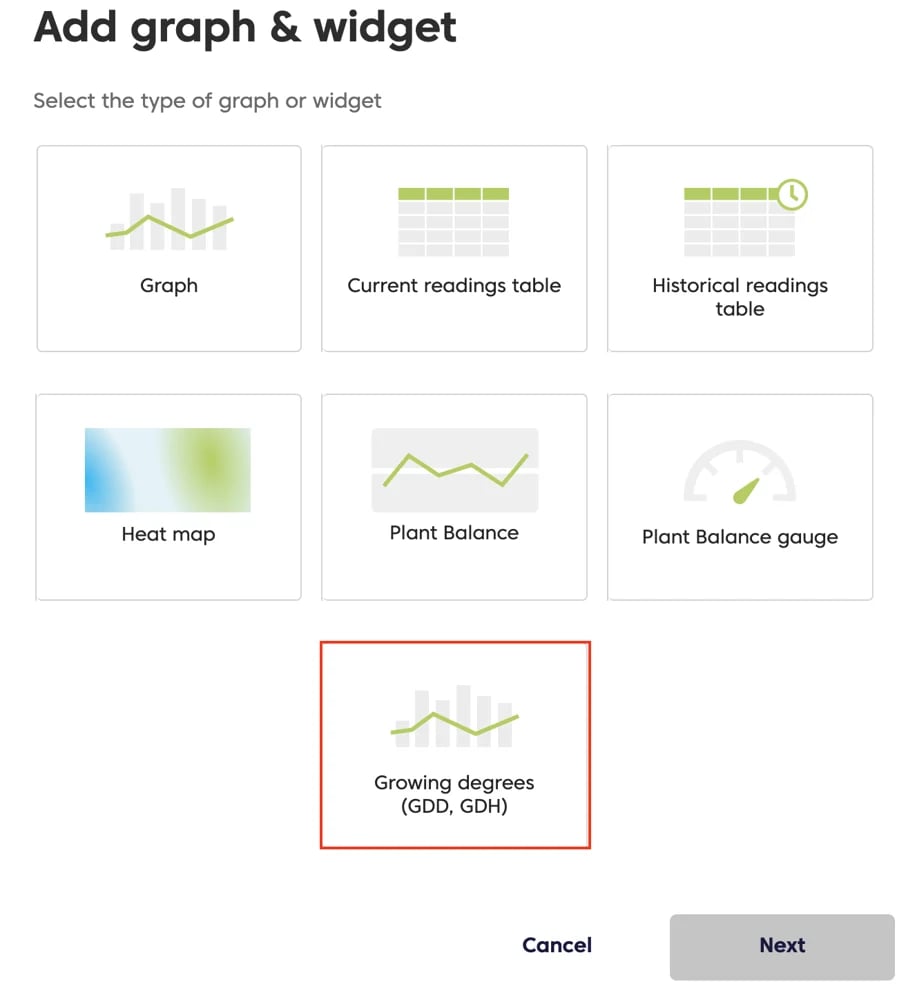
- Select Growing degrees (GDD, GDH).
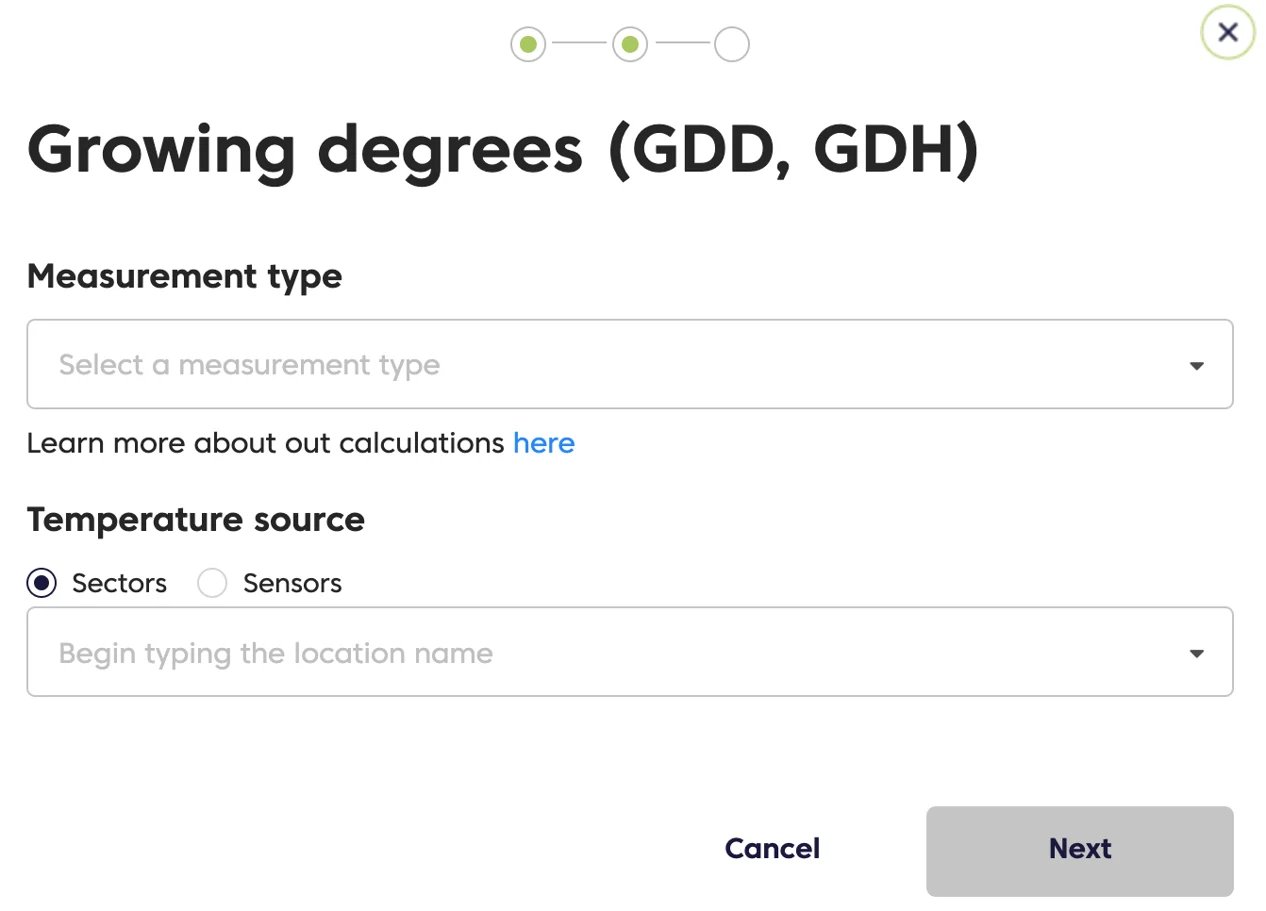
- Choose the calculation method you want to use (read about the differences here), and select the relevant sector or sensor.
- Specify a base temperature for the calculation, as well as an optional maximum temperature (above which additional growing degrees are not accumulated), plus a start date.
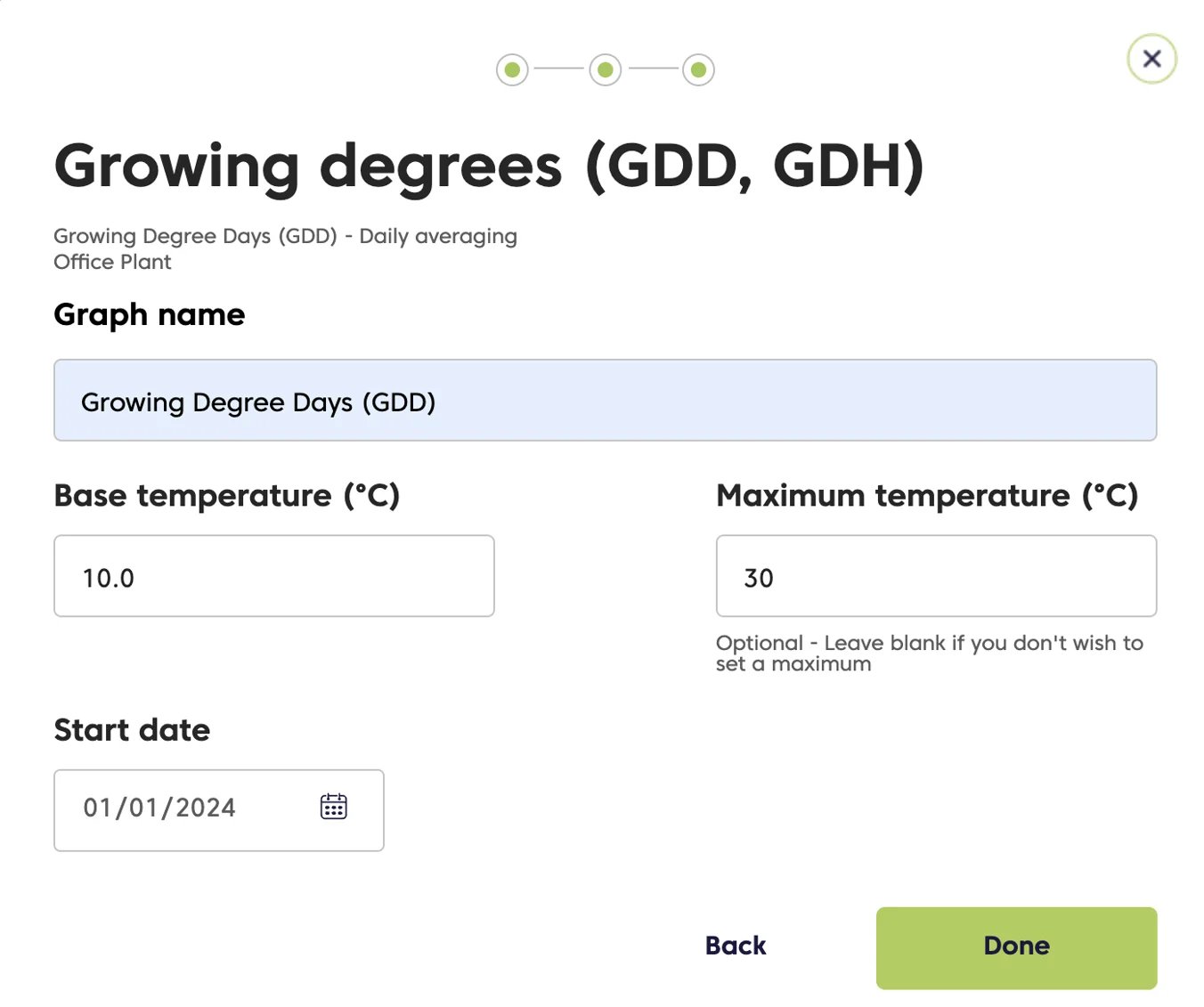
- Click Done.