Choosing a time zone for a graph
- Go to Data Studio
- Select the dashboard you wish to view
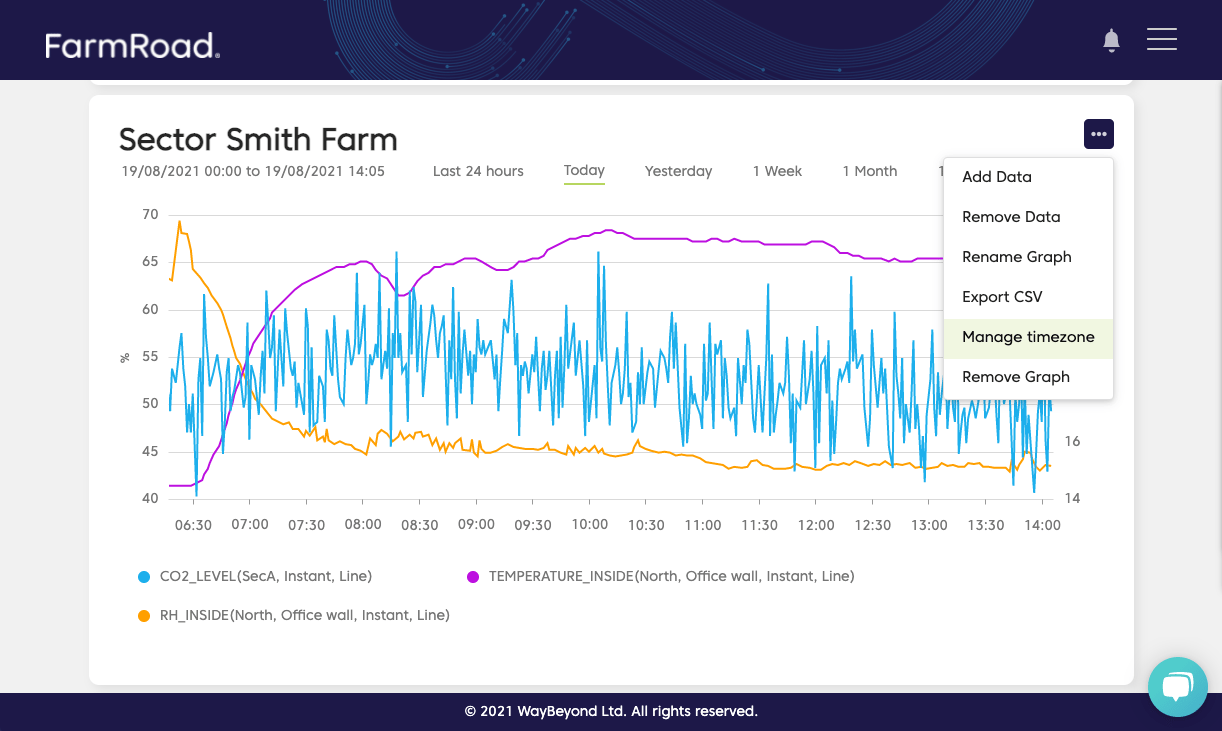
- Find the graph you want to edit and click the options menu
- Select Manage timezone
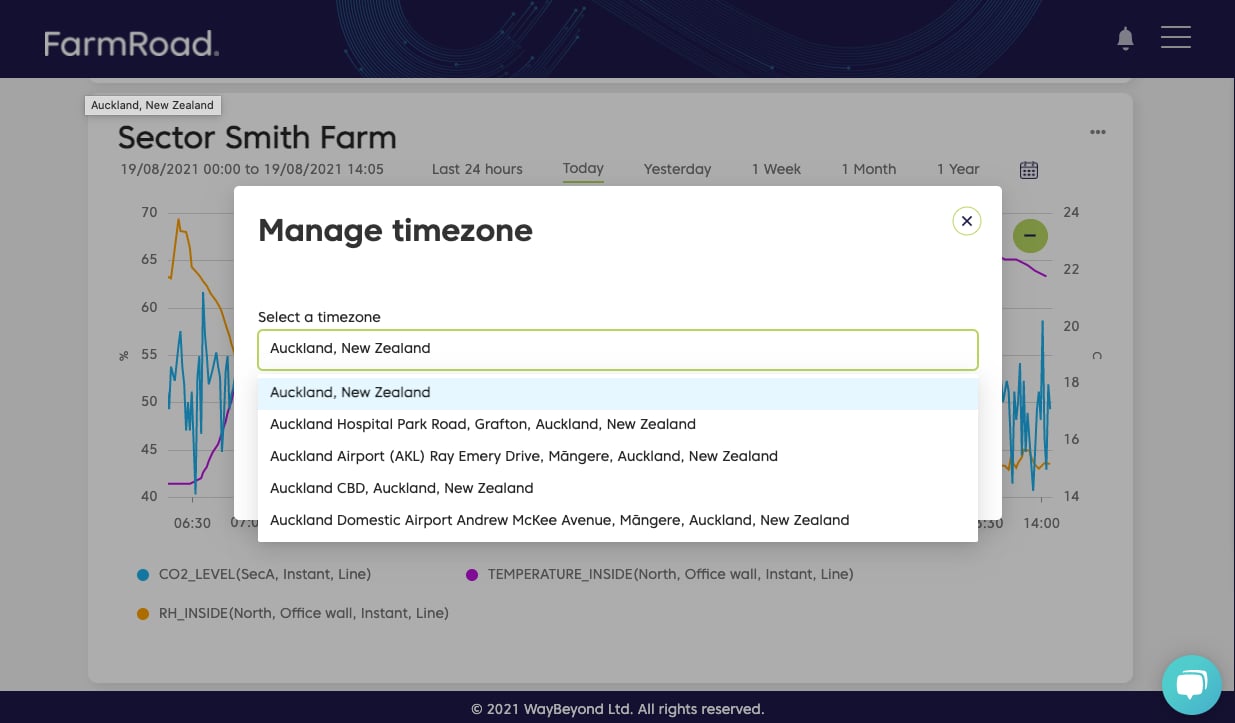
- You will be presented with a pop-up that allows you to search for the relevant location