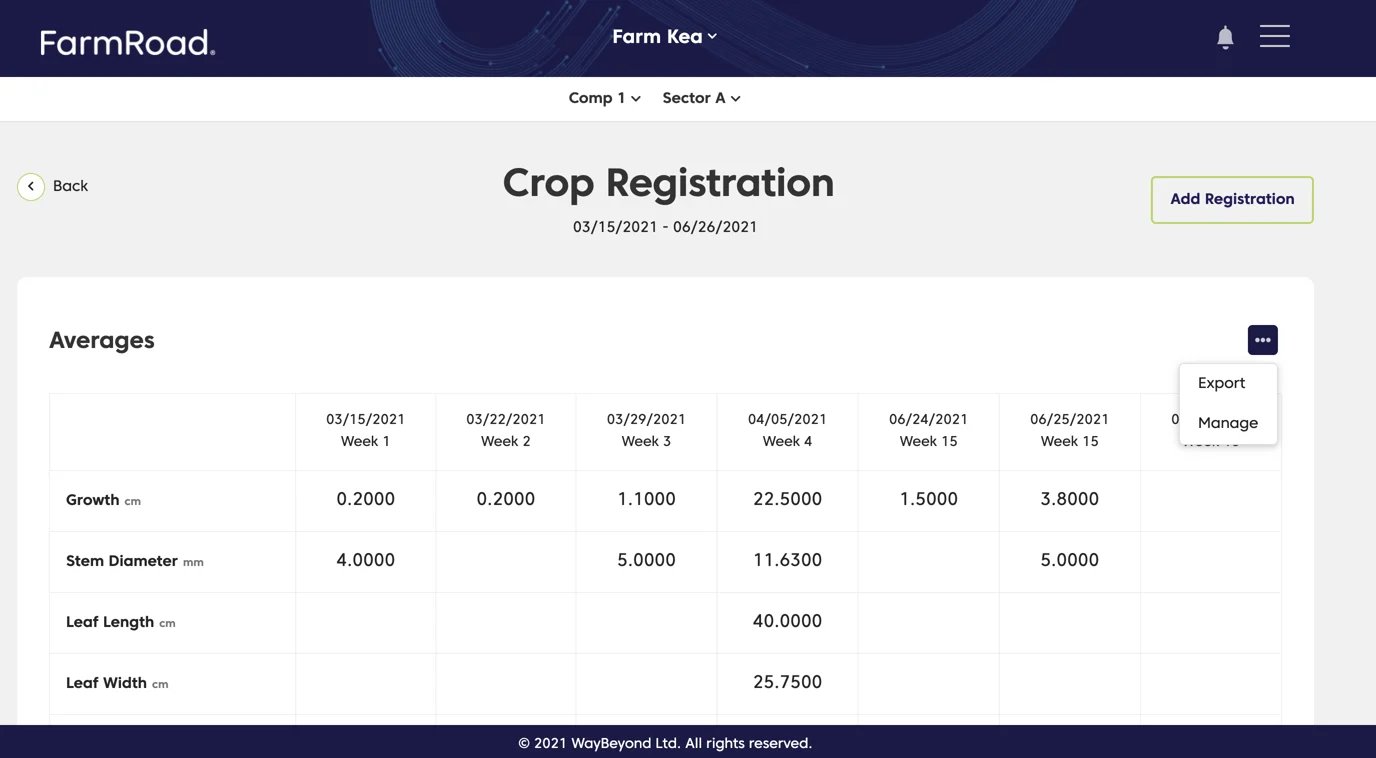
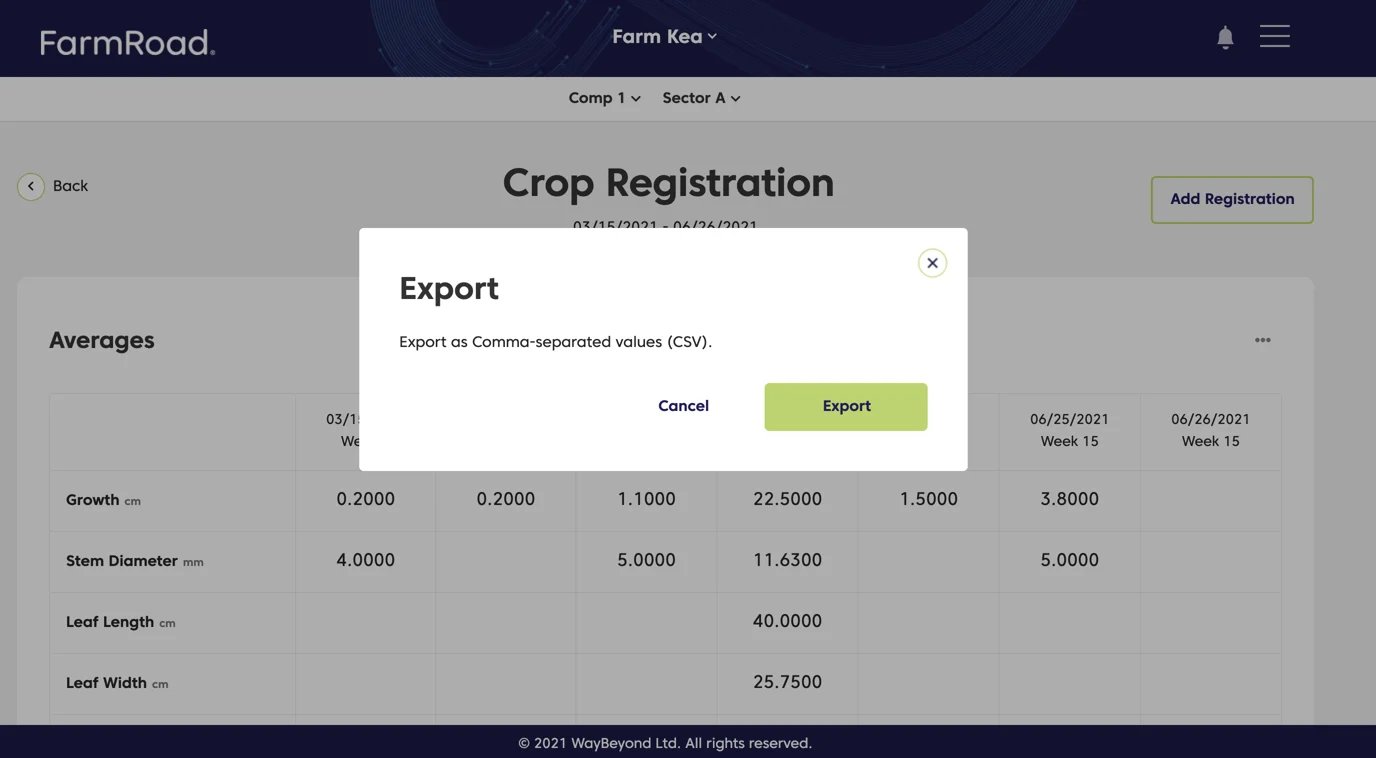
On the averages page
- Click the overflow menu (…) in the top right of the averages table.
- Select Export.
- Click Export in the modal.
- Select where you want the file to be stored.
- Download the CSV file.
On the individual records page
- Navigate to Crop Registration.
- Click the individual record you want to export.
- Click the overflow menu (…) on the record table.
- Select Export.
- Click Export in the modal.
- Select where you want the file to be stored.
- Download the CSV file.