> ## Documentation Index
> Fetch the complete documentation index at: https://waybeyond.mintlify.site/llms.txt
> Use this file to discover all available pages before exploring further.

# How do I start a crop cycle?

> You can easily start a crop cycle by going to your sector.

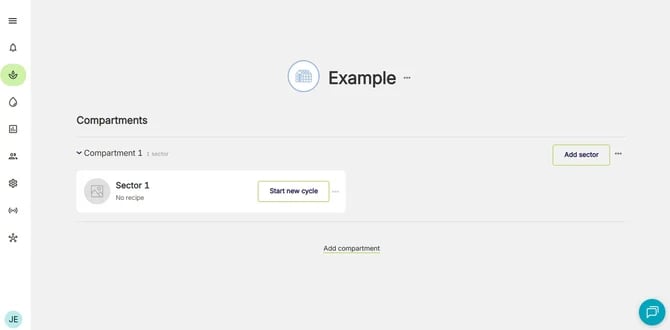
1. Select the sector to start the crop cycle.
<Frame>
  <img src="https://mintcdn.com/waybeyond/2RCW2gCnBFeSDXPR/images/image-37.png?fit=max&auto=format&n=2RCW2gCnBFeSDXPR&q=85&s=070a3c91fe9f80048cf1e5c735ab08a8" alt="FarmRoad compartments and sectors page" width="670" height="330" data-path="images/image-37.png" />
</Frame>

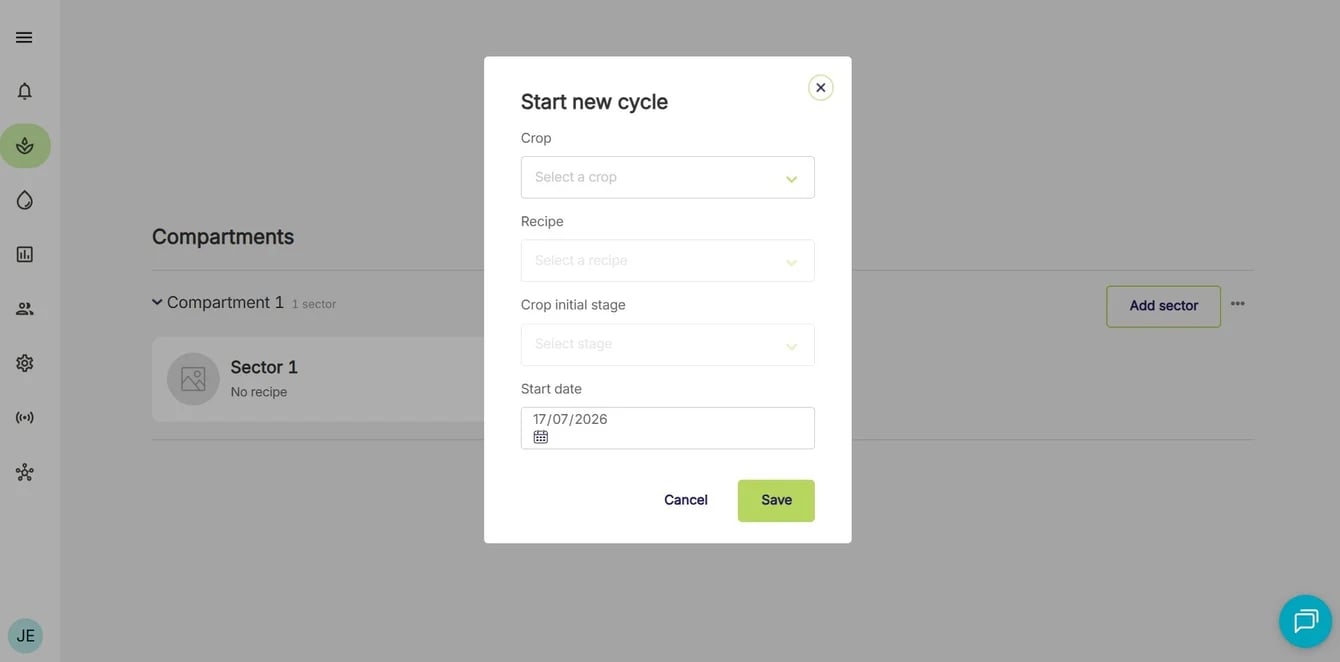
2. Click **Start new cycle**

<Frame>
  <img src="https://mintcdn.com/waybeyond/9Ov0tWJEtiwUYOMQ/images/FarmRoad-start-new-crop-cycle.webp?fit=max&auto=format&n=9Ov0tWJEtiwUYOMQ&q=85&s=586080027e832b35cc7292de331a44eb" alt="Farm Road Start New Crop Cycle" width="1340" height="662" data-path="images/FarmRoad-start-new-crop-cycle.webp" />
</Frame>

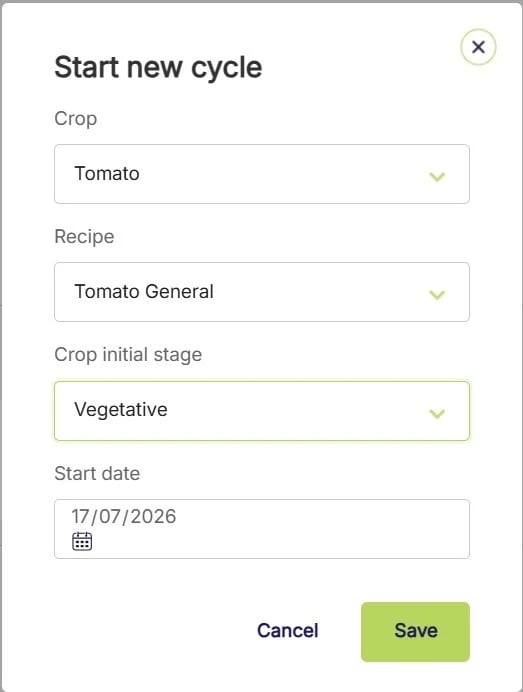
3. Add a crop, recipe, start stage, units and start date.
<Frame>
  <img src="https://mintcdn.com/waybeyond/9Ov0tWJEtiwUYOMQ/images/FarmRoad-enter-crop-cycle-details.webp?fit=max&auto=format&n=9Ov0tWJEtiwUYOMQ&q=85&s=1aac5bdffa7e5b97aa9d7c1573ba9f34" alt="Farm Road Enter Crop Cycle Details" title="Farm Road Enter Crop Cycle Details" className="mx-auto" style={{ width:"40%" }} width="523" height="692" data-path="images/FarmRoad-enter-crop-cycle-details.webp" />
</Frame>

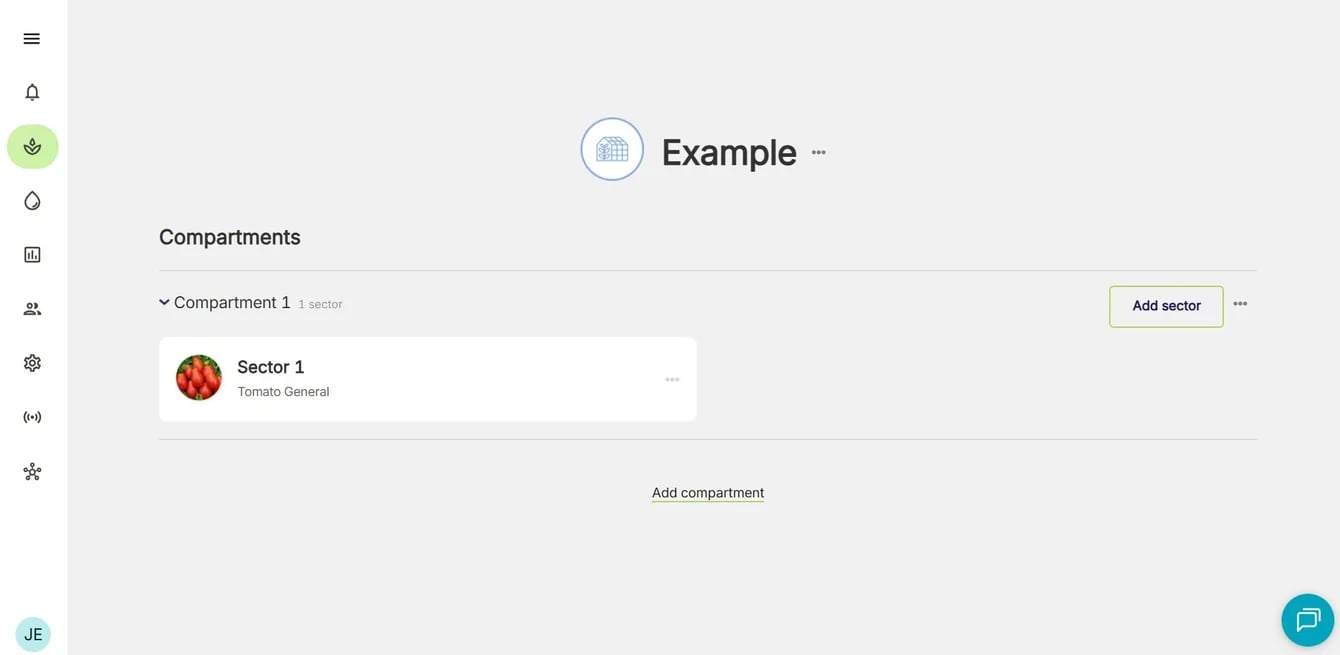
4. Click **Save**

<Frame>
  <img src="https://mintcdn.com/waybeyond/9Ov0tWJEtiwUYOMQ/images/FarmRoad-crop-cycle-added.webp?fit=max&auto=format&n=9Ov0tWJEtiwUYOMQ&q=85&s=2b0fbd4d94ae3d212778e5e08fa17dbf" alt="Farm Road Crop Cycle Added" width="1340" height="655" data-path="images/FarmRoad-crop-cycle-added.webp" />
</Frame>

<Note>
  A crop cycle can be started at a date in the past and future.
</Note>