> ## Documentation Index
> Fetch the complete documentation index at: https://waybeyond.mintlify.site/llms.txt
> Use this file to discover all available pages before exploring further.

# How do I add a compartment?

> You can easily add compartments to your farms from the Farm page.

1. Go to **My Farms** page. Click on the farm where you want the compartment.
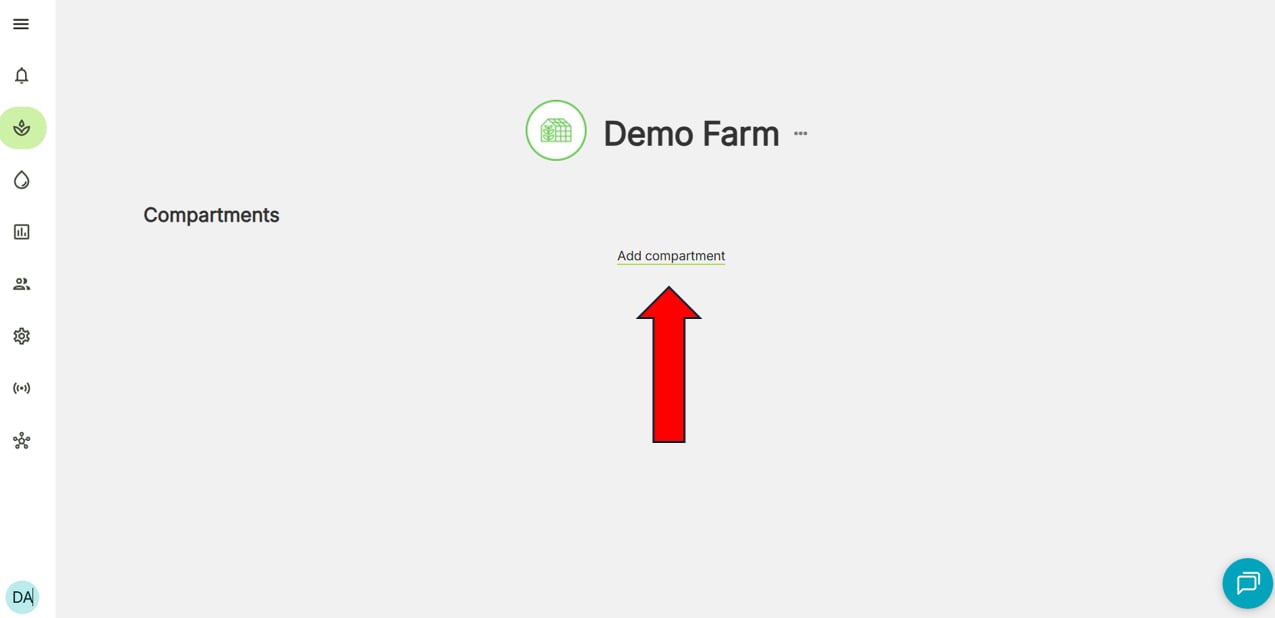
2. Click **Add compartment**
<Frame>
  <img src="https://mintcdn.com/waybeyond/cKPL1m3bw7y_s6F0/images/FarmRoad---Add-compartment-button.webp?fit=max&auto=format&n=cKPL1m3bw7y_s6F0&q=85&s=938bb99ec97f7ff746e6796f73f90b6b" alt="FarmRoad add compartment" width="1275" height="618" data-path="images/FarmRoad---Add-compartment-button.webp" />
</Frame>

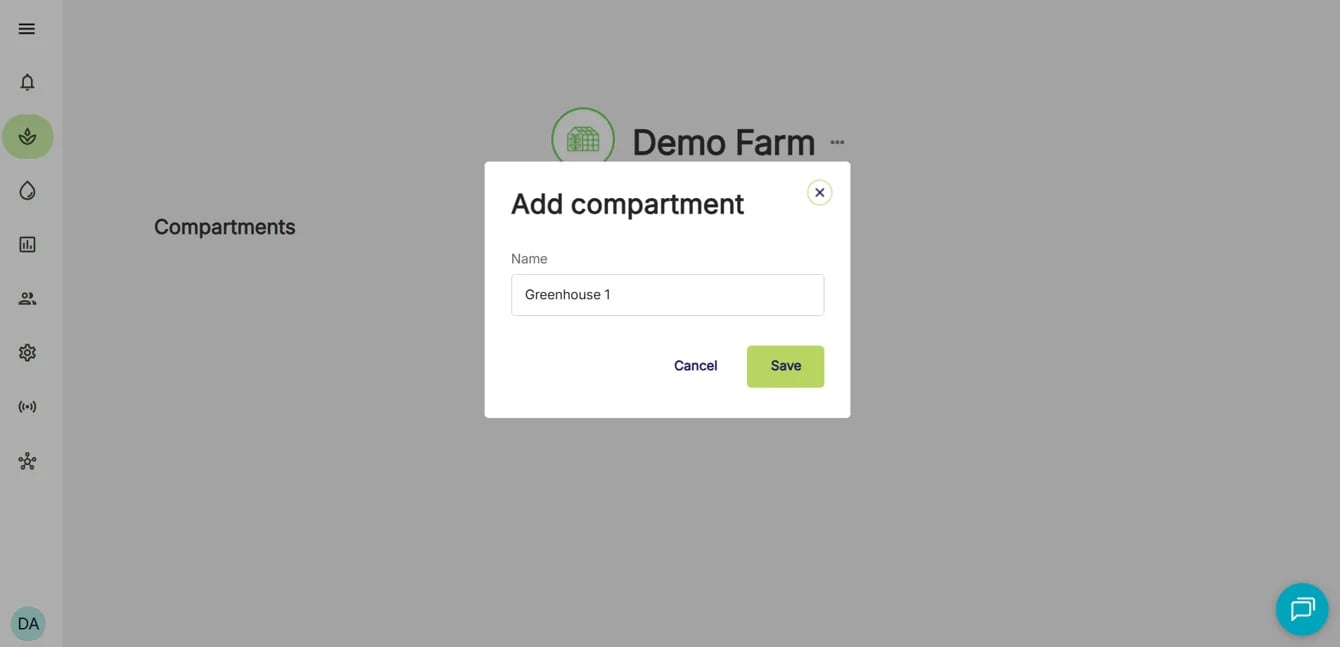
3. Enter a compartment name

<Frame>
  <img src="https://mintcdn.com/waybeyond/cKPL1m3bw7y_s6F0/images/FarmRoad-add-compartment-step-3.webp?fit=max&auto=format&n=cKPL1m3bw7y_s6F0&q=85&s=82da6ad4b10449e26e4b3fb3a99d714d" alt="FarmRoad add compartment name" width="1340" height="647" data-path="images/FarmRoad-add-compartment-step-3.webp" />
</Frame>

4. Click **Save**