> ## Documentation Index
> Fetch the complete documentation index at: https://waybeyond.mintlify.site/llms.txt
> Use this file to discover all available pages before exploring further.

# Adding a note in FarmRoad Activity Feed

> You can easily add a note on your Activity Feed timeline. Simply follow the steps below.

<video controls className="w-full aspect-video rounded-xl" src="https://5939375.fs1.hubspotusercontent-na1.net/hubfs/5939375/FarmRoad%20-%20Activity%20Feed%20tutorial.mp4" />

## How do I add a note?

Go to the timeline for the relevant sector.

1. Enter your note text in the note field at the top of the timeline.
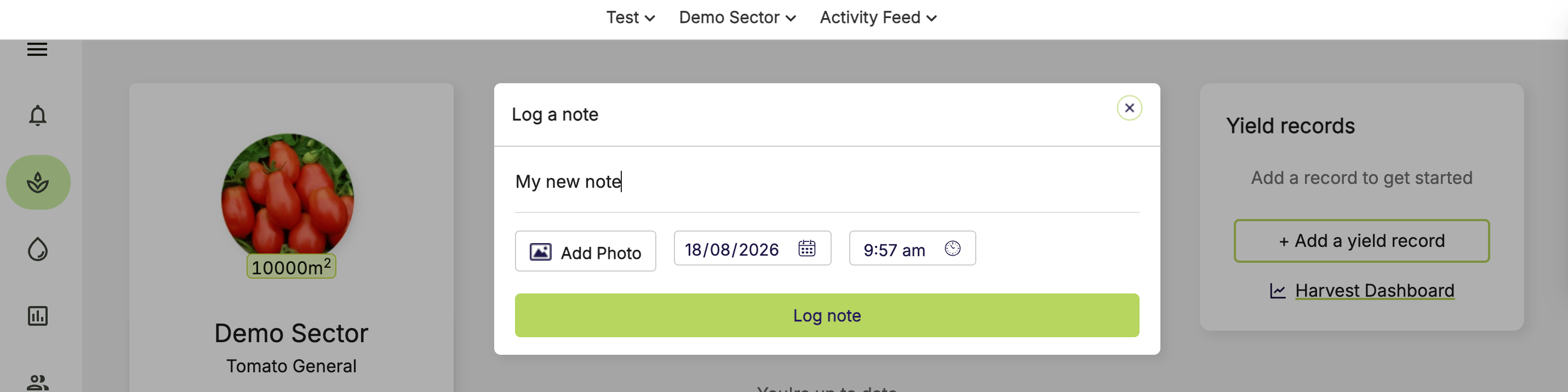
<Frame>
  <img src="https://mintcdn.com/waybeyond/6nnDWl3Y8bRROv0F/images/FarmRoad-Activity-Feed-add-note.png?fit=max&auto=format&n=6nnDWl3Y8bRROv0F&q=85&s=0b54652ca4c6c953da3b972da4bbc568" alt="Farm Road Activity Feed Add Note" width="2862" height="716" data-path="images/FarmRoad-Activity-Feed-add-note.png" />
</Frame>

2. Select the date and time for your note.
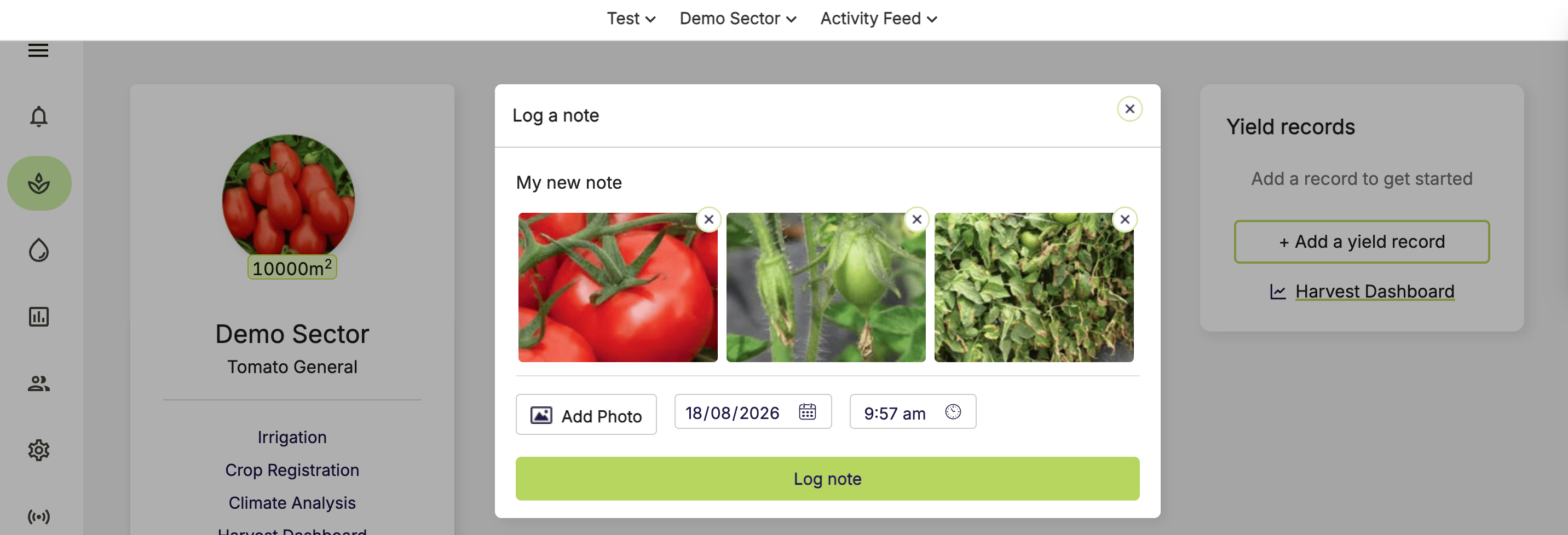
3. To add photos, click **Add photo** and select your photos.

<Note>
  You can upload up to 5 photos per note. Each photo has a 10 MB size limit.
</Note>

<Frame>
  <img src="https://mintcdn.com/waybeyond/6nnDWl3Y8bRROv0F/images/FarmRoad-Activity-Feed-add-photos-to-note.png?fit=max&auto=format&n=6nnDWl3Y8bRROv0F&q=85&s=7d4fb43cf96f3c326b7ab992c149bb08" alt="Farm Road Activity Feed Add Photos To Note" width="2864" height="978" data-path="images/FarmRoad-Activity-Feed-add-photos-to-note.png" />
</Frame>

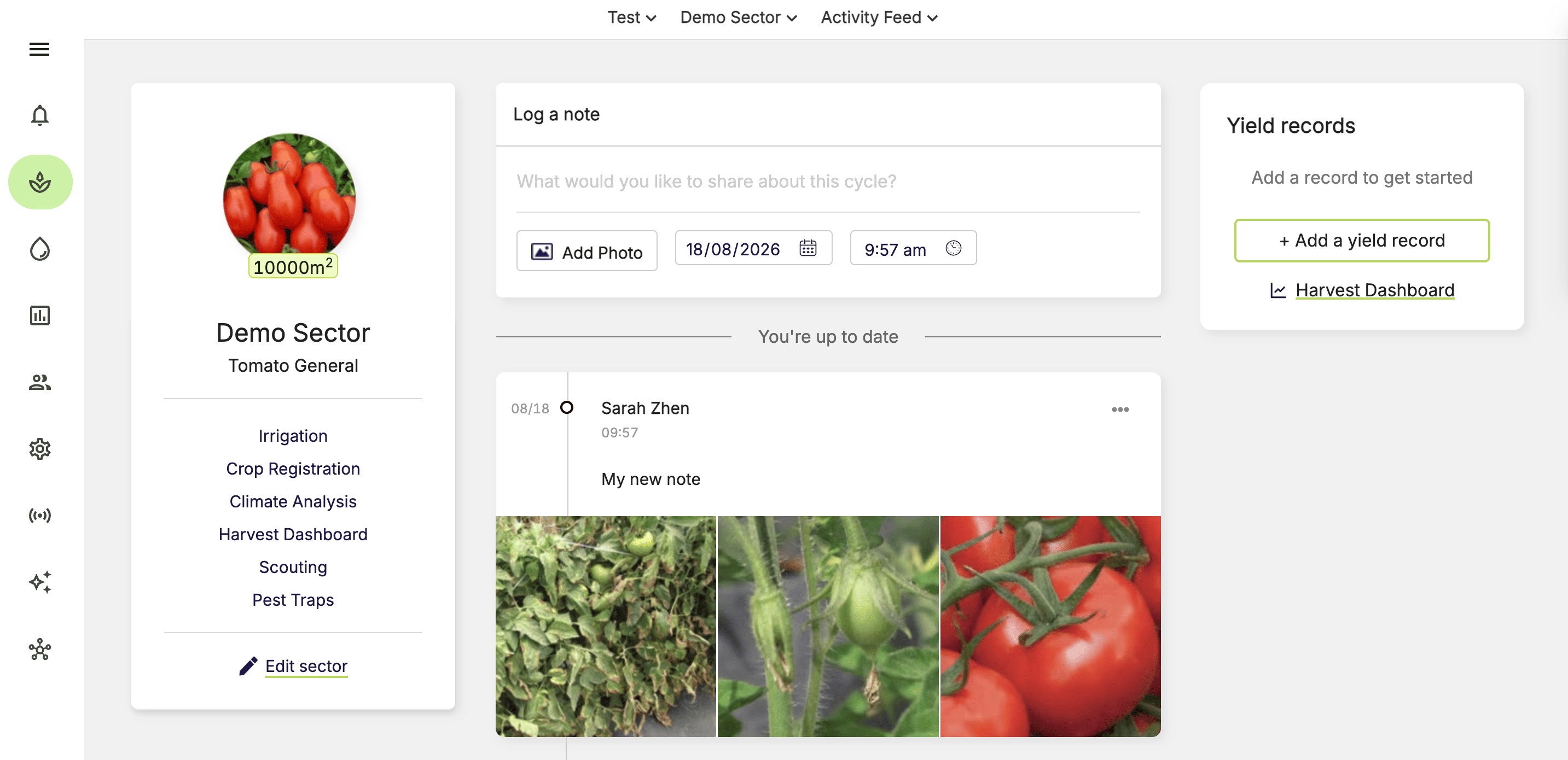
4. Click **Log note**.

<Frame>
  <img src="https://mintcdn.com/waybeyond/6nnDWl3Y8bRROv0F/images/FarmRoad-Activity-Feed-add-note_2.png?fit=max&auto=format&n=6nnDWl3Y8bRROv0F&q=85&s=0c8c8f9e51b2cecba59e685d998a2e95" alt="Farm Road Activity Feed Add Note 2" width="2866" height="1390" data-path="images/FarmRoad-Activity-Feed-add-note_2.png" />
</Frame>

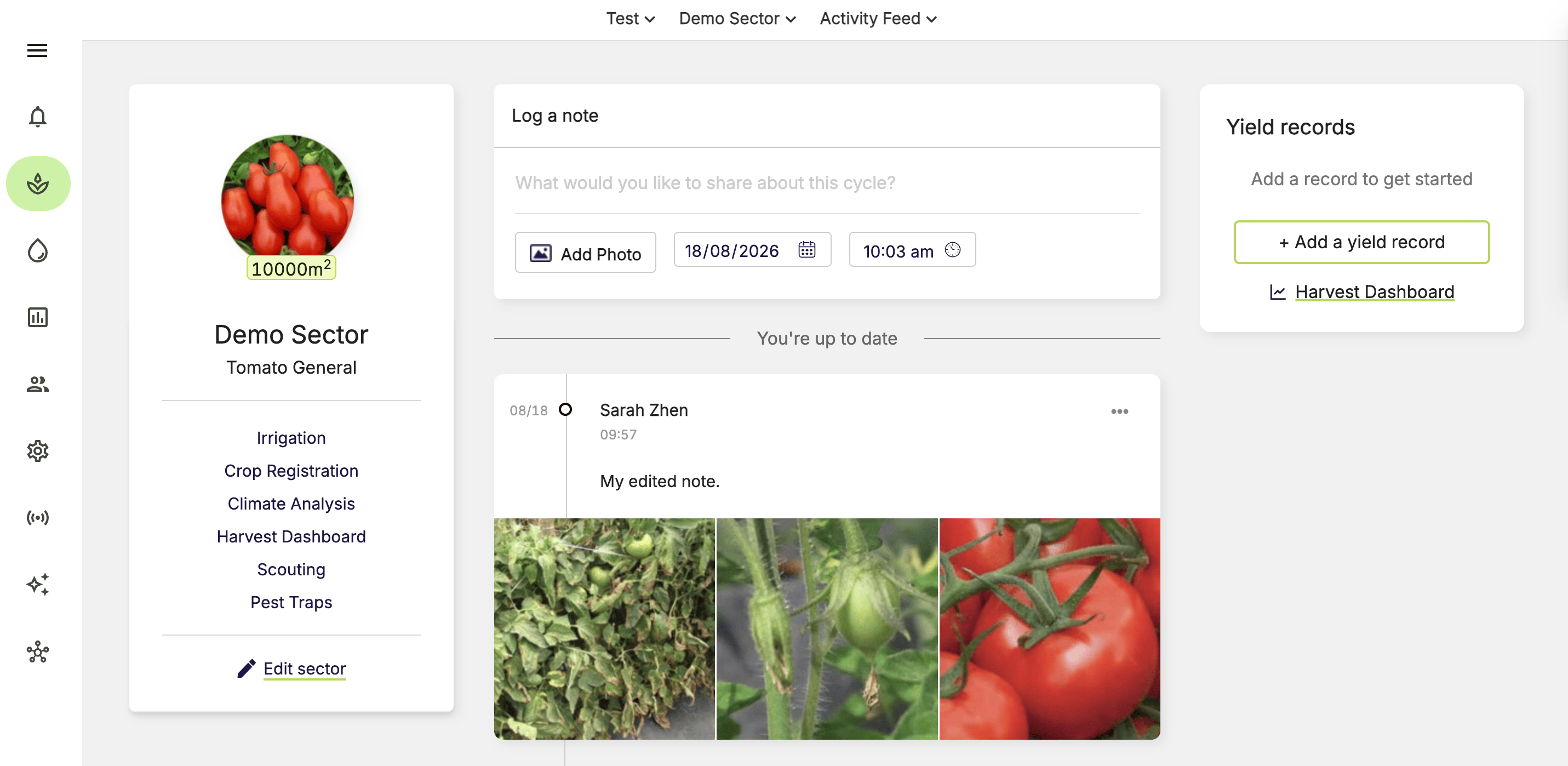
## How do I edit my note?

1. Go to the timeline for the relevant sector.
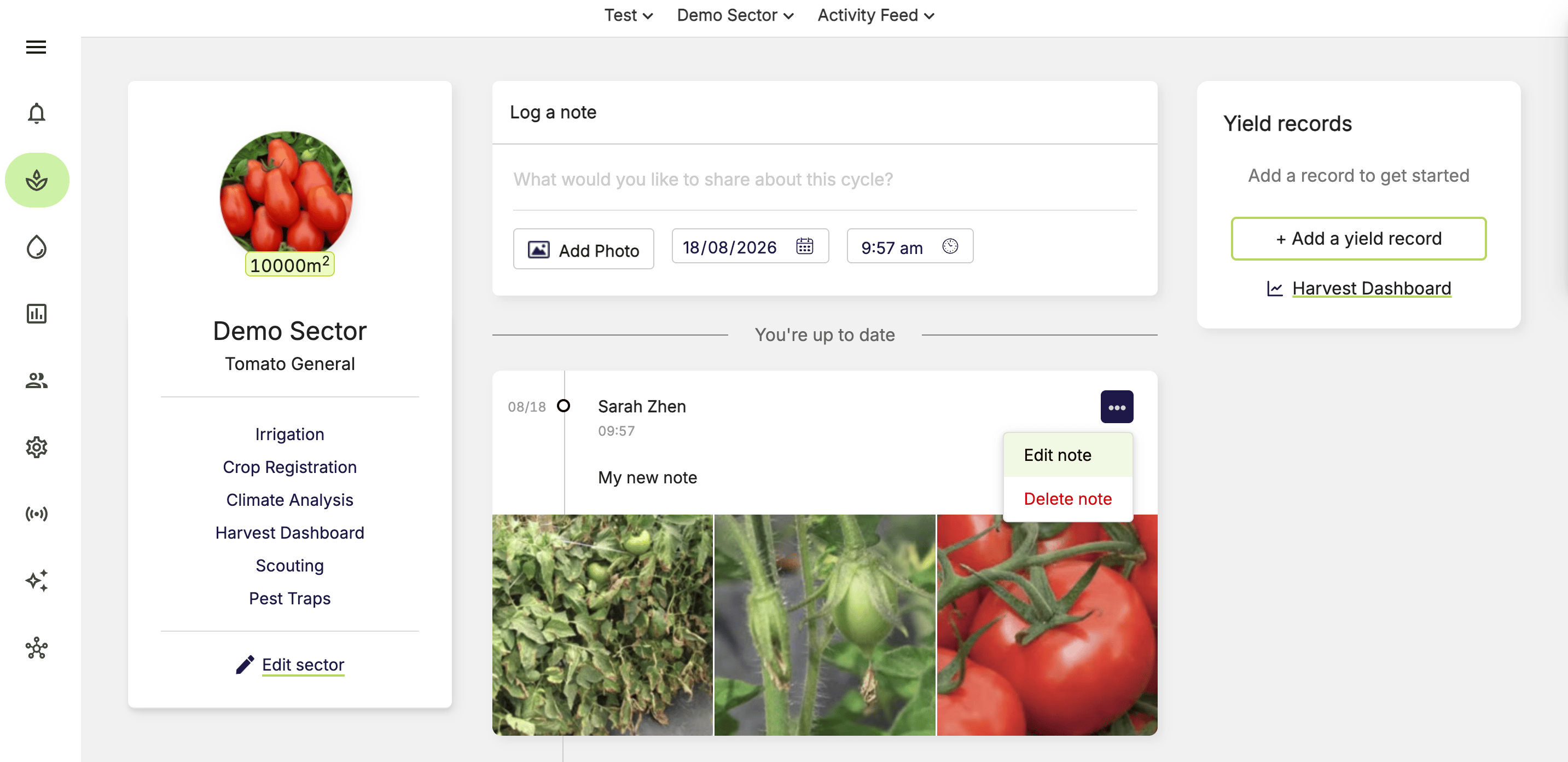
2. Click **…** on the note.
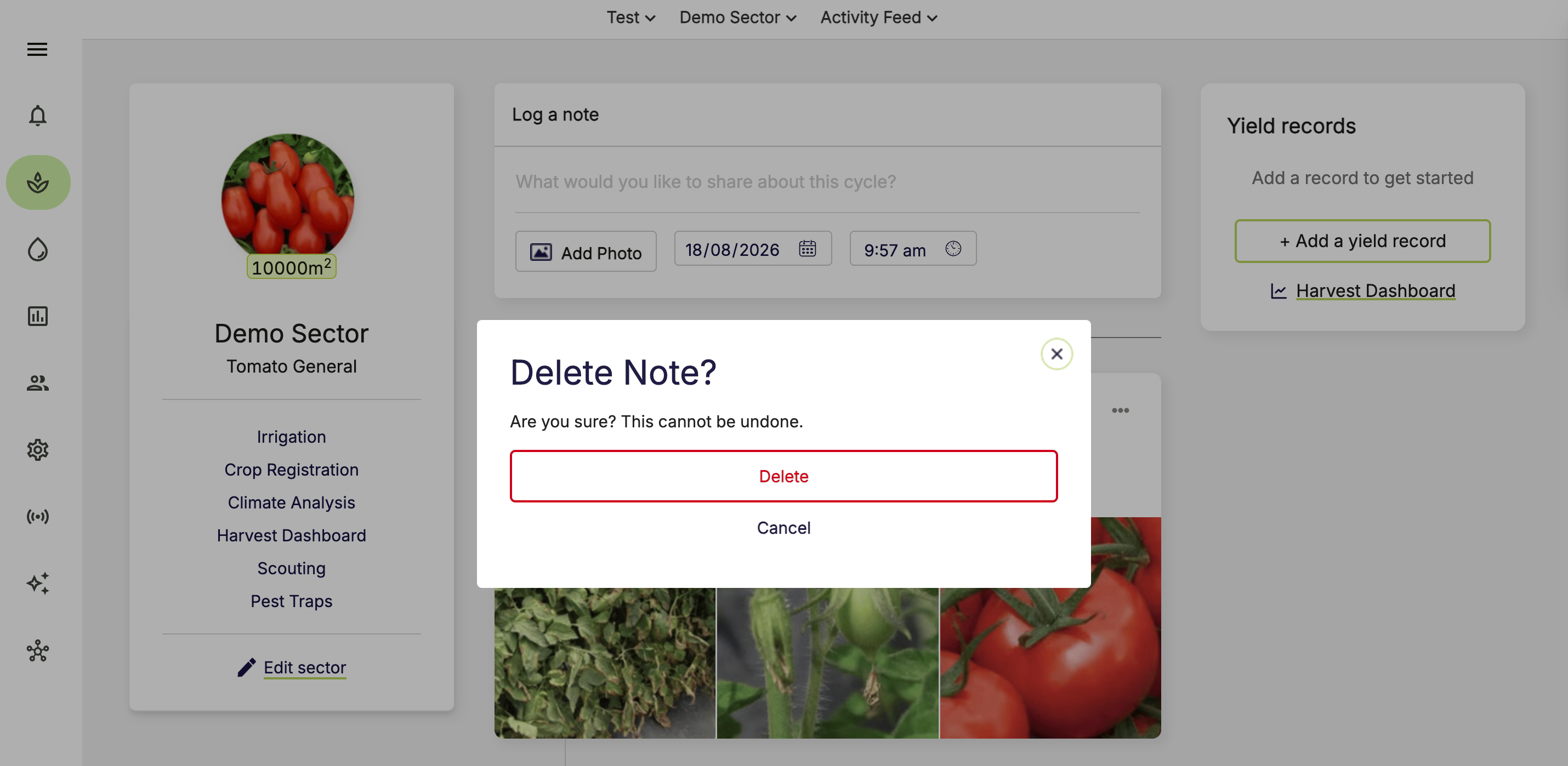
3. Select **Edit note** or **Delete note**.
4. Confirm the action using the relevant button.

<Note>
  Some roles can edit or delete notes logged by other users.
</Note>

<Frame>
  <img src="https://mintcdn.com/waybeyond/6nnDWl3Y8bRROv0F/images/FarmRoad-Activity-Feed-edit-or-delete-note.png?fit=max&auto=format&n=6nnDWl3Y8bRROv0F&q=85&s=4d403e9b20f16f424257a03394953039" alt="Farm Road Activity Feed Edit Or Delete Note" width="2866" height="1392" data-path="images/FarmRoad-Activity-Feed-edit-or-delete-note.png" />
</Frame>

<Frame>
  <img src="https://mintcdn.com/waybeyond/6nnDWl3Y8bRROv0F/images/FarmRoad-Activity-Feed-edited-note.png?fit=max&auto=format&n=6nnDWl3Y8bRROv0F&q=85&s=671efb1aa039b26d05a1364295ff37f0" alt="Farm Road Activity Feed Edited Note" width="2862" height="1398" data-path="images/FarmRoad-Activity-Feed-edited-note.png" />
</Frame>

<Frame>
  <img src="https://mintcdn.com/waybeyond/6nnDWl3Y8bRROv0F/images/FarmRoad-Activity-Feed-confirm-delete-note.png?fit=max&auto=format&n=6nnDWl3Y8bRROv0F&q=85&s=cb8ed32266e9c6220335ccaf6a6532b4" alt="Farm Road Activity Feed Confirm Delete Note" width="2860" height="1398" data-path="images/FarmRoad-Activity-Feed-confirm-delete-note.png" />
</Frame>

## FarmRoad Activity Feed overview video

<video controls className="w-full aspect-video rounded-xl" src="https://5939375.fs1.hubspotusercontent-na1.net/hubfs/5939375/FarmRoad%20Demo%20-%202%20Activity%20Feed.mp4" />